
Understanding tokenisation, preprocessing, and why different results do not automatically mean an error.
One concern that sometimes worries users is this: why does the same corpus produce different word counts in Voyant and in Python or another text-analysis environment?
It is a fair question. When two tools return different totals, it can look as though one of them must be wrong. But in most cases, that is not what is happening.
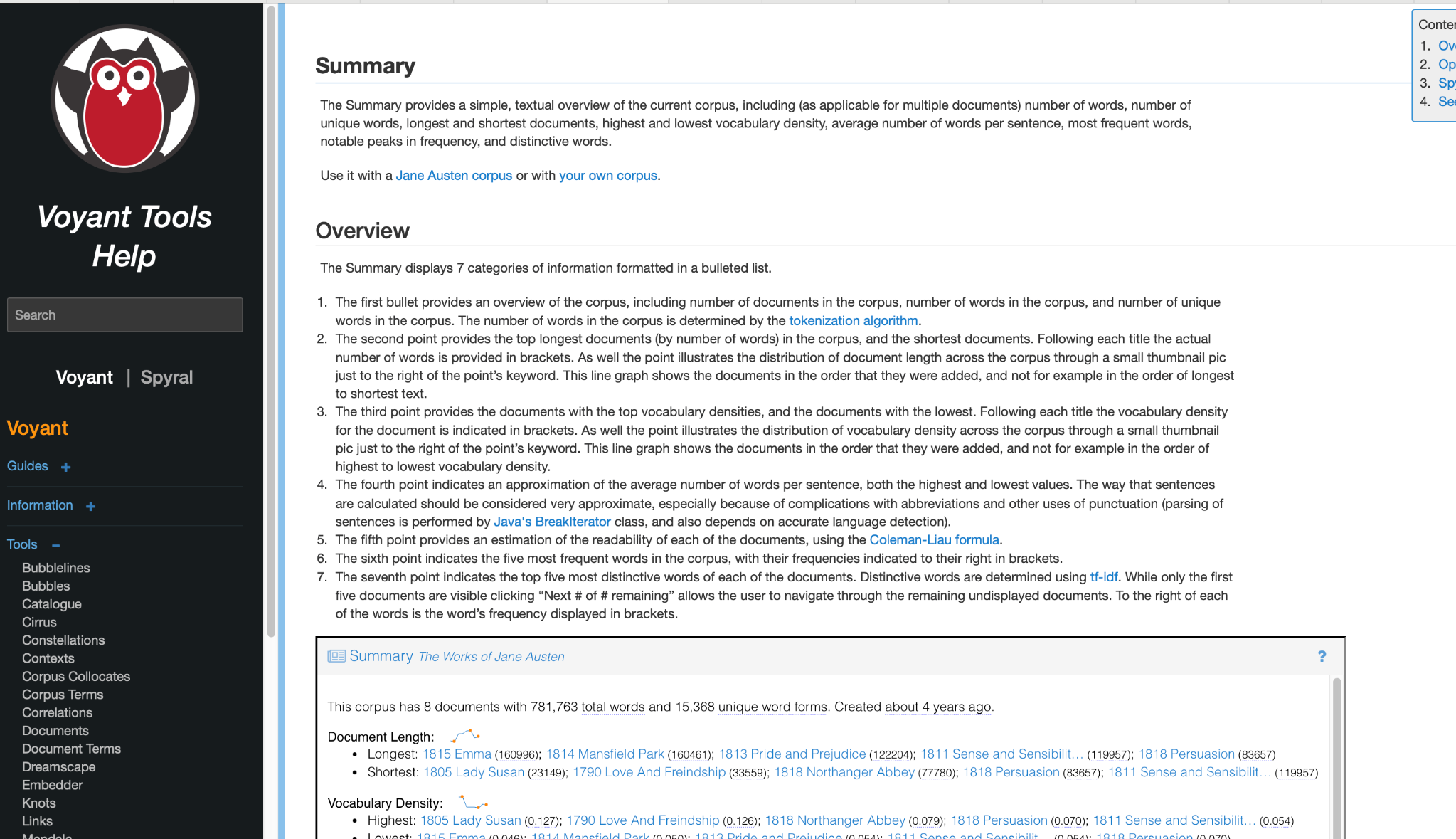
The key point is simple: a difference in word count is not, by itself, evidence of a flaw in Voyant. More often, it is a sign that the text has been processed according to different analytical assumptions. In Voyant, the number of words shown in a corpus is shaped by the tokenisation algorithm used to process the text.
What tokenisation means
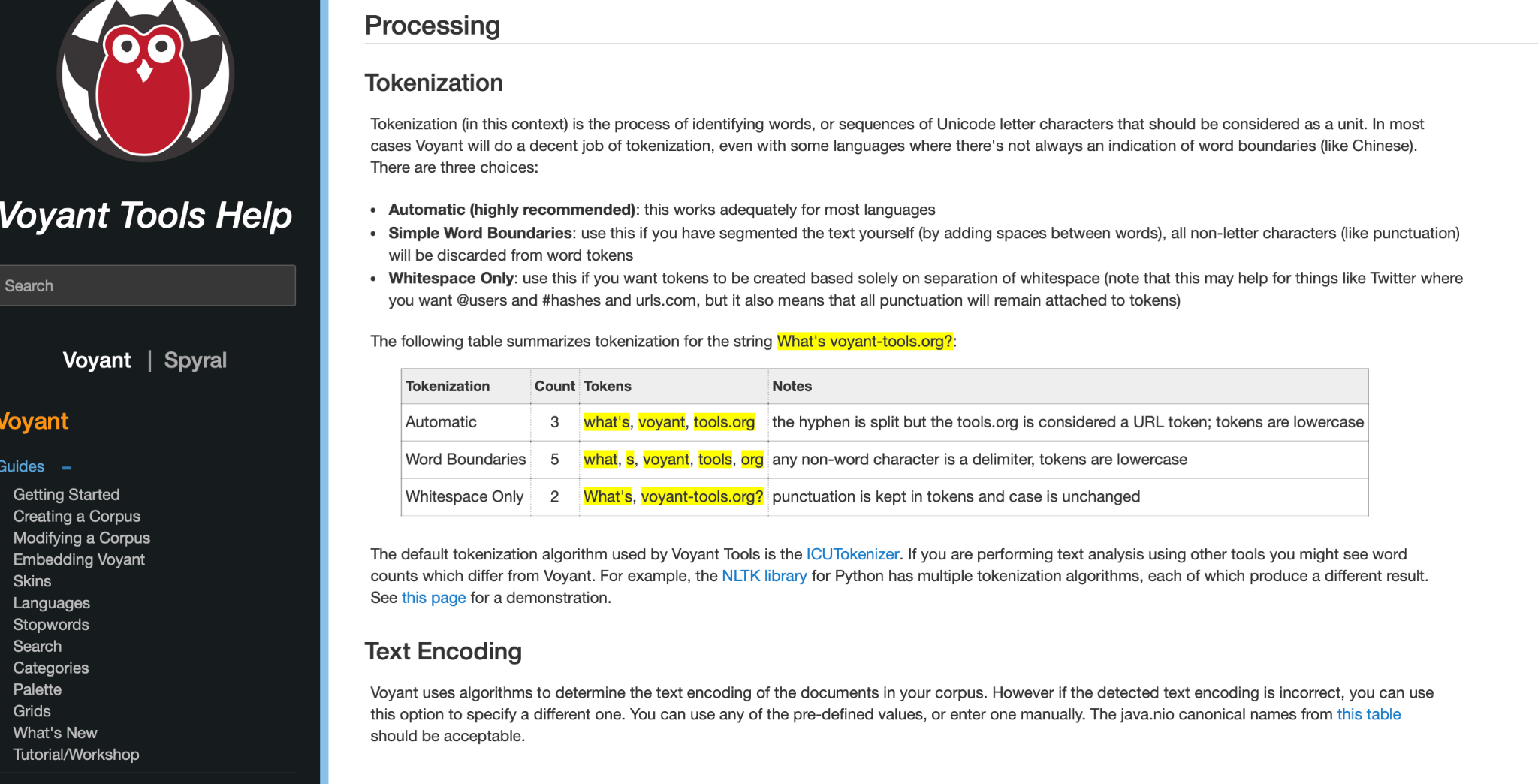
Before any tool can count words, it must first decide what a “word” is. That process is called tokenisation. In practical terms, tokenisation is how software breaks text into countable units, or tokens.
This matters because different tokenisers break text differently. A contraction, a hyphenated expression, a URL, or even punctuation marks can be handled in more than one valid way.
A simple example is the phrase:
What’s voyant-tools.org?
Depending on the tokenisation rule being used, that same line can be split differently. One system may preserve what’s as one token. Another may split it into what and s. One may preserve the web address as one item, while another may split it further.
In other words, the text has not changed. What has changed is the rule used to divide it into tokens.
Why this affects corpus totals
Now imagine that this kind of difference happens not once, but thousands of times across a large corpus. Contractions such as don’t, hyphenated terms, URLs, punctuation, apostrophes, abbreviations, hashtags, and casing can all influence how tokens are counted. Across millions of words, even small tokenisation differences can become large numerical differences.
That is why one workflow may report one total, while another reports a slightly higher or lower total for the same corpus. The discrepancy is often methodological, not erroneous.
A useful way to think about it is this: the corpus may be the same text in both Voyant and Python, but the tool does not count “text” directly. It counts tokens produced after processing. If the processing rules differ, the totals will differ too.
So the better question is usually not “Why is Voyant wrong?” but rather “How is each tool deciding what counts as a token?”
A practical example
Suppose one tool treats don’t as one token, while another treats it as two parts. Suppose one tool keeps a web address together, while another splits it into several pieces. Suppose one tool lowercases everything before counting, while another preserves capital letters. These are not trivial details. They change the total number of tokens that the tool sees.
The same is true for stopwords, punctuation, and sentence boundaries. Two workflows can therefore be analysing the same corpus while still producing different totals because they are following different preprocessing assumptions.
Why this matters beyond word counts
This issue is not limited to the total number of words. Tokenisation also affects many downstream results.
Frequency lists depend on which tokens were created in the first place. Distinctive-word measures depend on those counts. Summary statistics are also shaped by how words and sentences are identified. That means if tokenisation changes, the resulting outputs may change as well.
This is especially important for users working with word frequencies, comparison-based measures, or tf-idf-informed analysis. If two environments do not preprocess text in the same way, then their results should not be expected to align perfectly.
What you should do when comparing Voyant with Python
If you are comparing Voyant with Python, R, or another platform, the safest approach is to compare like with like.
- Check how each environment tokenises text.
- Check whether text is lowercased.
- Check how punctuation, contractions, hyphens, and URLs are handled.
- Check whether stopwords are included or removed.
- Check whether sentence splitting is also being compared, not just word splitting.
Only after those assumptions are aligned does a direct numerical comparison become truly meaningful.
Now, you have a reassurance!
What users need most is not identical numbers across every platform, but clarity about how results are produced. Voyant is designed to generate results according to its own consistent internal processing logic. A difference from another tool does not automatically signal a flaw. Very often, it simply reflects a different but internally coherent method of tokenising and processing text.
In text analysis, counts do not emerge magically. They are shaped by processing choices. Once that is understood, numerical differences become less alarming and more interpretable.
Learn more
Readers who want to explore this further can consult the updated Voyant documentation:
If you have suggestions, comments, or questions, please email
voyanttools@gmail.com
.